
Create from Your Own Template
Upload your own legal template and generate a completed document with AI — while preserving your wording, structure, clause order, and drafting style as far as possible.
Create from My Template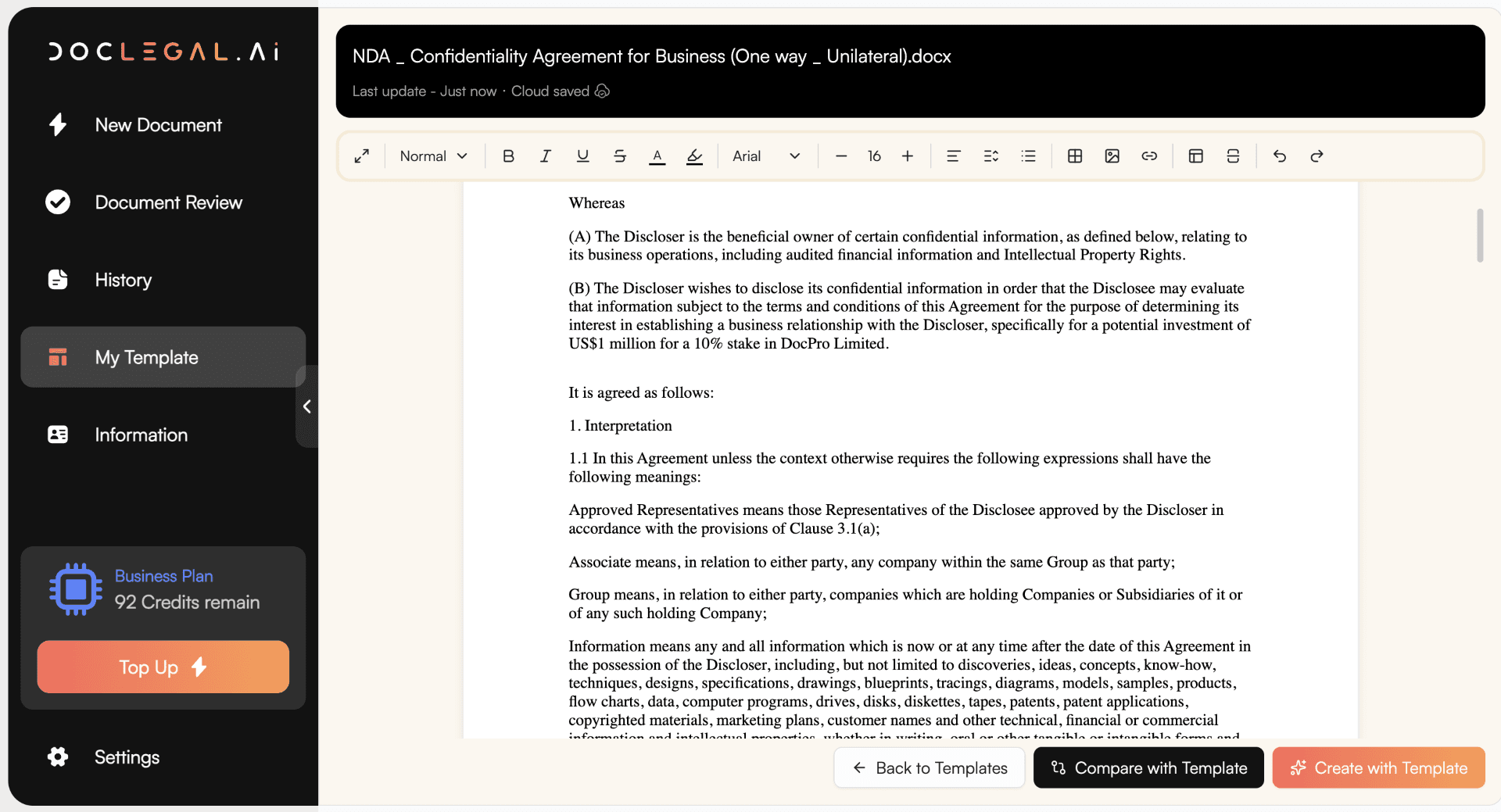
Generate Legal Documents Using Your Own Templates
DocLegal.Ai lets you create legal documents from your own preferred templates. Simply upload your template (maximum 20), describe your scenario, and our AI legal document assistant will generate a completed document based on your instructions.
Instead of drafting from scratch, DocLegal.Ai follows your uploaded template as the starting point. It preserves the original structure, headings, clauses, defined terms, signature blocks, and drafting style as closely as possible, while filling in the relevant details from your scenario.
Whether you are a business, startup, legal team, law firm, consultant, or professional services provider, this feature helps you turn your existing templates into ready-to-use documents faster, more consistently, and more affordably.
What is "Create from Your Own Template"?
Create from Your Own Template is an AI-powered legal document generation tool that allows users to upload their own contract, agreement, letter, policy, form, or legal document template and generate a completed version based on a specific scenario.
Unlike a standard AI document generator, this feature does not start with a generic template. It uses your uploaded template as the controlling drafting source, helping you preserve your preferred legal wording, commercial position, clause order, formatting logic, and drafting style.
This is ideal for businesses and legal teams that already have internal templates but want to use AI to complete, adapt, and prepare documents more efficiently.
Why Use DocLegal.Ai to Create Documents from Your Own Templates?

1. Preserve Your Preferred Template
Your uploaded template remains the drafting base. DocLegal.Ai follows your wording, structure, headings, numbering, legal mechanics, clauses, schedules, annexures, and signature blocks as far as possible. This helps reduce unnecessary rewriting and keeps your documents consistent with your preferred format.

2. Generate Documents Faster
Instead of manually editing party names, dates, amounts, addresses, transaction details, commercial terms, and signature blocks, you can describe the scenario and let AI prepare the first draft. This saves time on repetitive document work while allowing you to remain in control of the final review.

3. Reduce Inconsistent Party Names and Drafting Errors
DocLegal.Ai can help replace party names, contracting entities, defined terms, addresses, and signatory details consistently across the document — including the parties clause, recitals, notices clause, schedules, annexures, and signature blocks. This reduces the risk of a document containing old party names or inconsistent contracting entities from the original template.

4. Keep Your Drafting Style
Many businesses and legal teams have specific drafting preferences. DocLegal.Ai helps preserve your existing legal style, tone, clause order, definitions, boilerplate provisions, and execution structure, instead of replacing them with a generic AI-generated version.

5. Use AI Without Losing Control
DocLegal.Ai helps complete and adapt your document, but you remain in control. You can review, edit, refine, and download the final document before use. This makes it suitable for businesses and legal professionals who want the speed of AI while keeping their own template standards.

6. Secure and Confidential
Your uploaded template is handled securely and is not used for AI training. This allows businesses and professionals to use their own templates with greater confidence.
Who Can Benefit from Creating Documents from Their Own Templates?
Legal Teams
Use your existing contract templates, engagement letters, policies, and internal forms to generate consistent first drafts more efficiently.
Law Firms
Prepare client documents faster using your firm's own precedents, preferred wording, clause structure, and drafting style.
Startups and SMEs
Upload your own commercial templates and generate documents for new transactions, customers, suppliers, employees, or partners.
HR Departments
Create employment contracts, offer letters, warning letters, policy acknowledgements, and other HR documents from your own approved templates.
Sales and Commercial Teams
Generate customer agreements, service contracts, quotations, statements of work, and renewal documents using your company's standard forms.
Professional Services Providers
Use your own engagement letters, service agreements, proposals, retainers, and client-facing documents more efficiently.
How Does Create from Your Own Template Work?
Step 1: Upload Your Template
Upload the legal document template that you want DocLegal.Ai to follow. This may be your company's preferred contract, your firm's precedent, your standard customer agreement, or any document you regularly reuse.
Suggested UI copy: Upload your template. DocLegal.Ai will preserve its structure, wording, clause order, and drafting style as far as possible.
Step 2: Describe Your Scenario
Tell DocLegal.Ai what you want to create. You can include details such as:
- parties' names
- contracting entities
- addresses
- dates
- transaction details
- payment terms
- governing law
- jurisdiction
- term and renewal period
- termination rights
- special conditions
- clauses to add or remove
- signatory names and titles
- any other instructions
Suggested placeholder:
Example: Replace the supplier with ABC Limited, replace the customer with XYZ Limited, change the service fee to HK$50,000, add a 30-day payment term, and prepare the agreement under Hong Kong law.
Step 3: Generate the Document
DocLegal.Ai uses your uploaded template as the drafting base and completes the document based on your scenario. The AI will aim to preserve your template wording and structure, while updating the necessary details.
Step 4: Review and Edit
Review the generated document before use. You can further revise clauses, ask AI to improve specific sections, or make manual edits.
Step 5: Download and Use
Once you are satisfied, download the completed document for internal use, negotiation, signing, or further legal review.
What Types of Templates Can You Upload?
You can use this feature for many types of legal and business documents, including:
- Commercial contracts
- Service agreements
- Consultancy agreements
- Employment contracts
- Offer letters
- Non-disclosure agreements
- Shareholder agreements
- Loan agreements
- Distribution agreements
- Supplier agreements
- Customer contracts
- Terms and conditions
- Engagement letters
- Board resolutions
- Company policies
- Demand letters
- Termination letters
- Settlement agreements
- Property and leasing documents
- Internal legal forms
Key Benefits
- Template-Based Drafting. Create new documents from your own preferred templates instead of starting from generic drafts.
- Consistent Party Replacement. Update party names and contracting entities throughout the document, including signature blocks and related definitions.
- Clause and Structure Preservation. Maintain your existing clause order, defined terms, boilerplate provisions, schedules, annexures, and formatting logic.
- Faster First Drafts. Reduce repetitive drafting and manual amendment work.
- Better Internal Consistency. Help identify and reduce inconsistencies caused by old template details.
- Business-Friendly Workflow. Upload a template, describe the scenario, generate, review, and download.
Why This Feature Matters
Many businesses already have legal templates, but preparing each new document still takes time. Users often need to replace party details, update transaction terms, check defined terms, adjust signature blocks, and ensure that no old names or inconsistent details remain.
Create from Your Own Template helps solve this problem by allowing users to reuse their existing templates with AI assistance.
This is especially useful where consistency matters, including customer agreements, employment documents, supplier contracts, board documents, compliance forms, and professional service engagement letters.
Create from Your Own Template vs Standard Document Generation
| Feature | Standard Document Generation | Create from Your Own Template |
|---|---|---|
| Uses DocLegal.Ai templates | Yes | Optional |
| Uses your own uploaded template | No | Yes |
| Preserves your preferred wording | Limited | Yes |
| Preserves your clause order | Limited | Yes |
| Completes document based on scenario | Yes | Yes |
| Replaces party details | Yes | Yes |
| Suitable for internal company templates | Limited | Yes |
| Suitable for law firm precedents | Limited | Yes |
| Helps maintain drafting consistency | Yes | Stronger |
Best Practices When Using Your Own Template
To get the best results, upload a clean and complete template. You should also provide clear scenario instructions, including the parties, document purpose, key commercial terms, jurisdiction, dates, amounts, and any specific changes required.
For best results, tell DocLegal.Ai whether it should preserve the template strictly or make limited improvements where necessary.
Example Scenario Instructions
Example 1: Service Agreement
Create a service agreement using this template. Replace the service provider with ABC Consulting Limited and the client with XYZ Limited. The services are business advisory services. The fee is HK$80,000, payable in two instalments. The agreement starts on 1 June 2026 and lasts for 6 months. Governing law is Hong Kong.
Example 2: Employment Contract
Use this employment contract template to prepare an agreement for John Chan as Marketing Manager. Start date is 15 June 2026. Monthly salary is HK$35,000. Probation period is 3 months. Annual leave is 14 days. Replace all old employee details and update the signature block.
Example 3: NDA
Prepare a mutual NDA using this template. Party A is Alpha Limited and Party B is Beta Limited. The purpose is discussion of a potential software development project. Confidentiality period is 3 years. Please ensure all party names are updated consistently.
Ready to Simplify Your Legal Work?
Visit us at DocLegal.Ai to explore how our AI-powered legal tools can revolutionize your approach to legal tasks.
Try DocLegal.Ai today